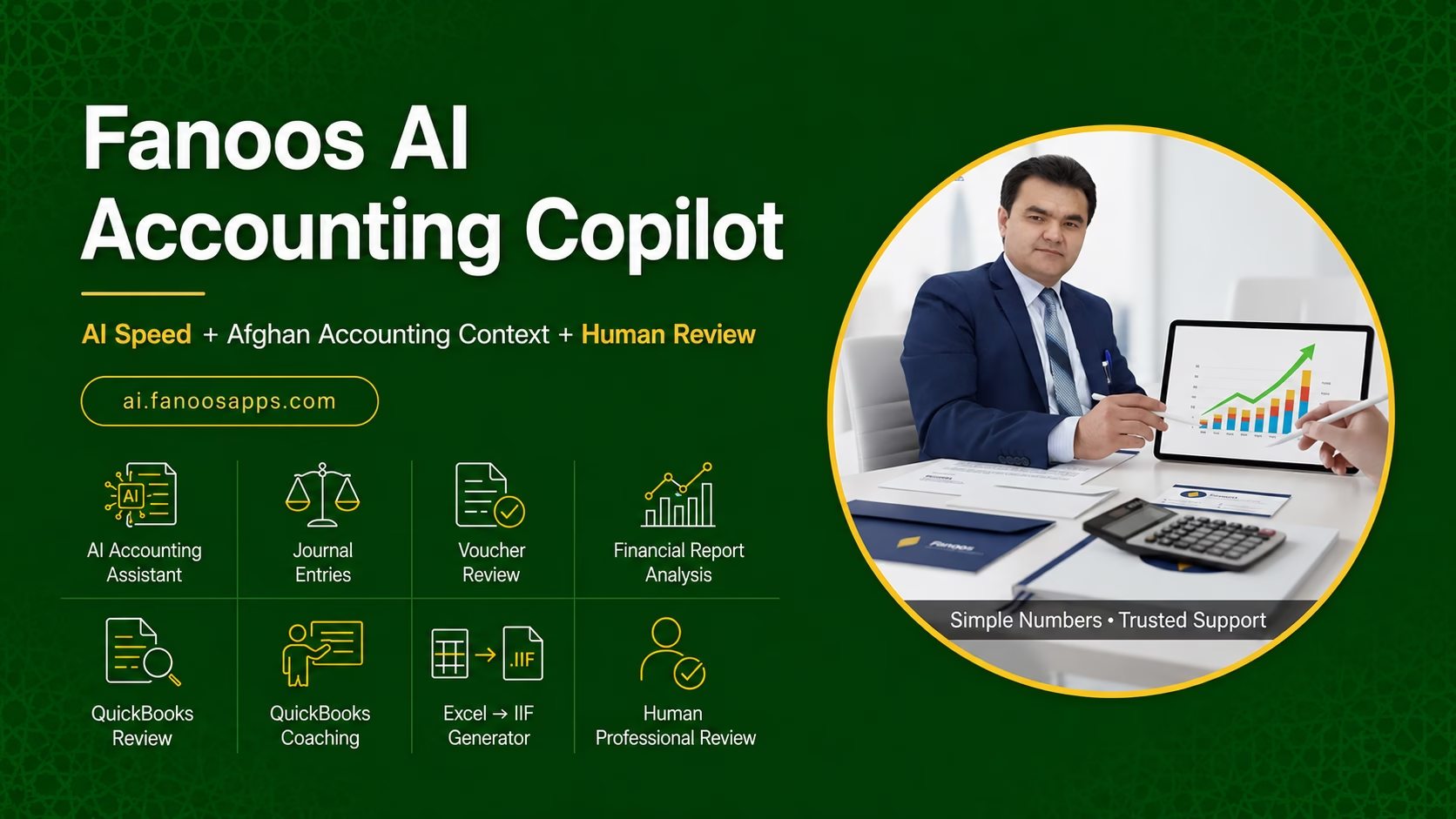
Fanoos AI Accounting Copilot

Introducing Fanoos AI Accounting Copilot: Your Intelligent Accounting Assistant

AI Speed + Afghan Accounting Context + Fanoos Professional Review


At Fanoos Accounting Services, we have spent over 14 years helping Afghan businesses, NGOs, and international organizations manage their finances with accuracy and integrity. Today, we are taking a major step forward.

We are proud to introduce Fanoos AI Accounting Copilot (FAIAC) – a bilingual (Dari/English) AI-powered accounting assistant designed specifically for the Afghan market. This is not a generic chatbot. It is a professional accounting tool built on our deep understanding of local accounting practices, combined with the power of artificial intelligence, and backed by the trusted expertise of Fanoos Accounting Services.


What is Fanoos AI Accounting Copilot?

FAIAC is an intelligent copilot that works alongside you – not to replace you, but to make you faster, more accurate, and more confident in your accounting work. Whether you are a business owner, an accountant, a finance team member, or an NGO finance officer, FAIAC helps you prepare, understand, and review accounting information with AI speed and professional oversight.

Key principle: AI generates recommendations. Human accountants approve important decisions. This is accounting with AI, not AI without accountability.


Six Core Modules

1. AI Accounting Assistant

Describe a transaction in Dari or English, and the AI recommends the debit and credit accounts, suggests a journal entry, identifies the transaction category, and lists the supporting documents required. It also provides a plain-language explanation of the accounting treatment – all in the language you prefer.

2. Journal Entry Assistant

A guided workflow that helps you prepare accurate journal entries. Enter the transaction details, and the AI suggests the appropriate accounts and amounts, explains the reasoning, and highlights any risks or uncertainties. You can save drafts, export summaries, or escalate for professional review.

3. Voucher & Document Reviewer

Upload a voucher, invoice, or expense document. The AI checks for completeness – missing dates, missing approvals, calculation inconsistencies, duplicate references, and unusual information. It classifies the document as Complete, Needs Attention, Missing Information, Possible Risk, or Human Review Recommended, and provides clear recommendations.

4. Financial Report Explainer

Upload a financial report or enter key figures manually. The AI provides:

  • Plain-language summary

  • Variance explanations

  • Cash-flow observations

  • Key ratios (Gross Margin, Net Profit Margin, Current Ratio, Debt-to-Equity, etc.)

  • Unusual balances

  • Questions management should investigate

  • Practical recommendations

5. QuickBooks & Bookkeeping Coach

Get step-by-step guidance on QuickBooks workflows: company setup, chart of accounts, invoices, bills, bank feeds, reconciliation, payroll journal entries, month-end review, and common bookkeeping errors. The coach provides practical, actionable advice – not just theory.

6. Human Professional Review

When AI-generated analysis requires professional confirmation, you can escalate any case to the Fanoos Accounting Services team. A qualified accountant reviews the case, provides professional comments, and confirms the outcome. AI speed, human trust.


Who Is It For?

User How FAIAC Helps
Business Owners Understand financial reports without advanced accounting knowledge. Identify missing documents before month-end. Get answers in Dari and English. Know when professional assistance is necessary.
Accountants & Bookkeepers Prepare journal entries faster. Review vouchers consistently. Draft report explanations. Learn QuickBooks procedures. Reduce repetitive questions from clients.
NGOs & Organizations Apply standardized voucher-review checklists. Identify documentation weaknesses. Prepare management-review questions. Train finance employees consistently.
Students & Trainees Practise real accounting cases. See journal entries with explanations. Improve professional accounting English. Learn the reasoning behind debit and credit decisions.

Benefits for Your Accounting Practice

Faster preparation. The AI handles routine analysis, draft journal entries, voucher checks, and report summaries. You focus on interpretation and strategic advice.

Better review. Consistent, structured reviews reduce errors and missed items. The AI checks for completeness and flags risks before you do.

Bilingual support. Work in Dari or English. Switch languages anytime. Professional accounting terminology in both languages.

Human oversight. AI recommends. Fanoos accountants confirm. You are never alone in important decisions.


The Future of Accounting Jobs with AI

The accounting profession is changing rapidly – and this is a change to embrace, not fear.

The demand for AI skills is exploding. In January 2026, 30% of accountant job roles mentioned AI skills, up from 18% in January 2025 – a 67% increase. Finance and accounting professionals who learn to work with AI tools are already earning 25% to 40% more than those who have not.

AI is not replacing accountants. It is reshaping the role. Routine, transactional tasks are being automated. Human expertise is shifting toward oversight, interpretation, and strategic judgment. Accountants who embrace AI become advisors, not just data processors.

Emerging skills for the future accountant include: AI fluency, prompt engineering, data analytics, systems integration, and automation governance. Tools like Fanoos AI Accounting Copilot are designed to help you develop these skills while you work – learning by doing.

The opportunity is now. Firms are hiring "tech-first" accountants. The gap between those who understand AI and those who do not is growing fast. Fanoos AI Accounting Copilot puts AI-powered accounting tools in your hands today, so you can build the skills that tomorrow's employers are looking for.


Built for Afghanistan, Backed by Fanoos

FAIAC is not a generic AI tool. It is built by an Afghan firm with 14+ years of experience serving NGOs, businesses, and institutions in Afghanistan. It understands Afghan accounting practices, tax considerations, and the real-world challenges of working in Afghanistan. And it is backed by the professional review team at Fanoos Accounting Services – the same team that has been trusted by clients from Australia, the United States, the United Kingdom, Canada, and Afghanistan.


Get Started

Website: ai.fanoosapps.com

Professional support: Fanoos Accounting Services

Contact: admin@fanoosaccounting.com | +93 (0) 704 995 790


AI-generated advice requires professional verification. Standard disclaimer shown wherever AI results appear.

QuickBooks is a trademark of Intuit Inc. This platform is independent and not affiliated with Intuit.
Appointment

Schedule Your Appointment

At Fanoos Accounting Services, we value your time and strive to provide personalized accounting and financial solutions that fit your business needs. Use our easy online scheduling system to book a meeting with our experts for consultations, QuickBooks support, or tailored financial services. Let’s work together to keep your finances accurate, efficient, and compliant.

[wpforms id="1632" title="true" description="true"]

Our QuickBooks Services

We deliver end-to-end QuickBooks consulting services, customized to meet your unique needs. Our offerings include:

1. QuickBooks Setup & Customization

We configure QuickBooks to reflect your business model and reporting needs, including:

  • Chart of accounts setup aligned with your business or project structure.

  • Customized financial reports for better decision-making.

  • User roles and permission controls to secure your data.

2. Data Entry & Automation

We ensure accurate recording of all transactions, including:

  • Sales invoices and receipts.

  • Supplier bills and purchase transactions.

  • Payments, deposits, and adjustments.

3. Bank & Account Reconciliation

We match your accounts with bank and cash statements to ensure accuracy, prevent discrepancies, and maintain trust in your financial data.

4. Financial Reporting & Analysis

Our reporting service delivers clear insights for management and compliance:

  • Profit & Loss Statements

  • Balance Sheets

  • Cash Flow Reports

  • Donor or project-based financial reports (for NGOs)

5. Training & Capacity Building

We empower your team to confidently manage QuickBooks with training that covers:

  • Software navigation and best practices.

  • Customized features designed for your business.

  • Efficient bookkeeping and reporting workflows.


Our Two Specialized QuickBooks Paths

To better serve different needs, we offer two focused service streams:

Each version comes with tailored services to fit your operational and reporting requirements.


Why Choose Fanoos for QuickBooks Services?

  • 16+ Years of Accounting Expertise: We have deep experience designing accounting systems and financial processes for diverse industries.

  • Certified QuickBooks ProAdvisor: Professional guidance for setup, optimization, and reporting.

  • Customized Solutions: QuickBooks tailored to your business structure and reporting needs.

  • Cost Efficiency: Optimize your finance operations without the overhead of a full-time accounting team.

  • NGO & Compliance Expertise: Proven experience delivering donor-compliant and government-approved reports.

  • Secure & Reliable: Cloud-based systems with secure access, backups, and data integrity.


Get Started Today

QuickBooks is powerful — but only when configured and managed correctly. Let Fanoos help you unlock its full potential to transform your financial management.

Contact us today for a tailored proposal to meet your QuickBooks needs.

QuickBooks Database Server Manager

What is QuickBooks Database Server Manager

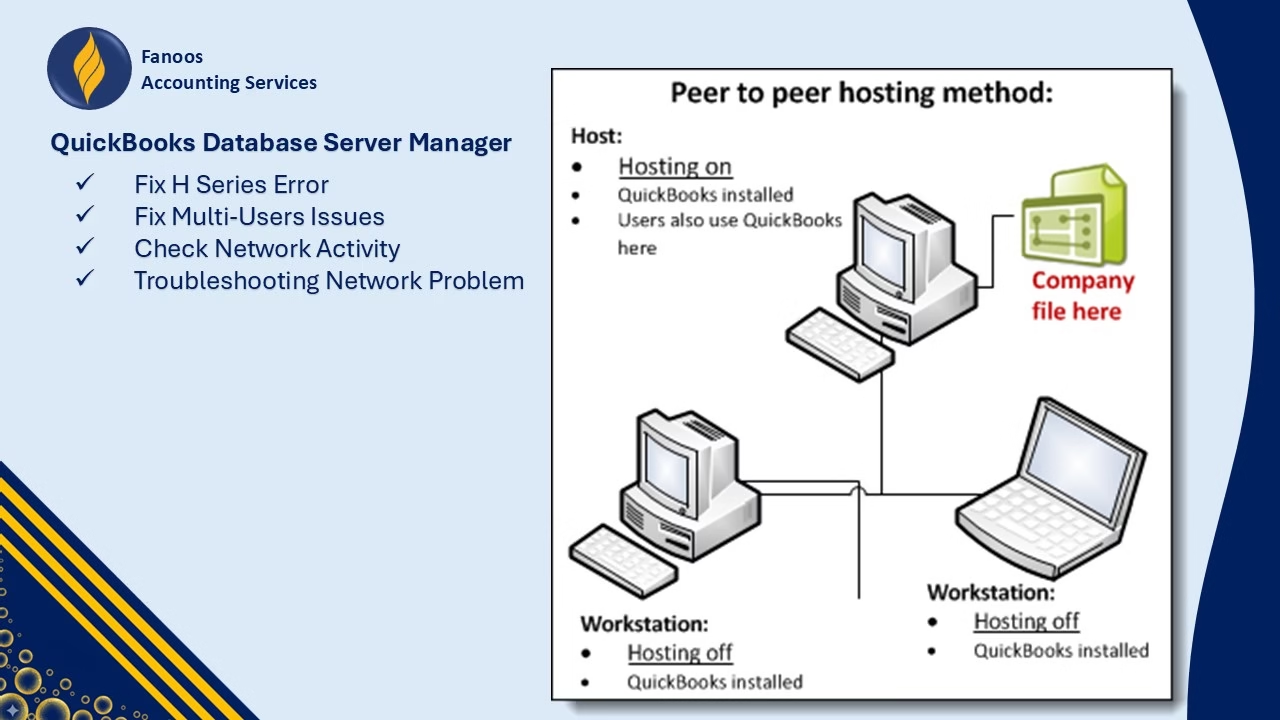
When you are using QuickBooks on a network or a multi-user setup, you need QuickBooks Database Server Manager. It allows you to monitor your network easily while multiple users work on the same company file at the same time. Without a Database Server Manager, you won’t be able to use QuickBooks in a multi-user setup. But if you are running QuickBooks on a network, then you do not have to install Database Server Manager.

Install QuickBooks in Multi-User Setup to Automatically Install Database Server Manager

The first thing is to install QuickBooks desktop by choosing the Custom and Network install option. In a network, you can have one computer which hosts QuickBooks. It is also known as the server computer. The rest of the computers can access the company files but do not host them. These computers are your workstations. You may choose to run QuickBooks from the host computer as well as the workstations or use the workstations only. At the time of doing a Custom and Network install, you see the option to choose whether you can use QuickBooks desktop on the host computer or not. Once the installation of QuickBooks is complete, it automatically installs QuickBooks Database Server Manager.

Set Permissions for QuickBooks Files to Accessed Over the Network

The folder that holds your company files on the host computer should have permission to share it on the network. It ensures that the workstations can work on the company files without problems. Additionally, QuickBooks Database Server manager creates a new Windows user for each of its versions. Check for the users and identify the user profile created by the Database Server Manager. It is in the format QBDataServiceUserxx, where xx represents the year of your QuickBooks product.

Set Firewall Permissions

Your firewall and anti-virus may block QuickBooks Database Server Manager from running smoothly. To avoid this, you must give permissions for the Database Server Manager so that it can run on your server computer.

Scan Folders

It would be best if you scanned all the folders before you share the files. Follow these steps to scan the folders:
  • On the server computer, which hosts your QuickBooks files, open the Windows Start menu.
  • On the search bar, write ‘Database.’ From the results that show up, choose QuickBooks Database Server Manager. Alternatively, you can open the Database Server manager by clicking on the Start Menu then select Programs. Next, you choose QuickBooks and select QuickBooks Database Server Manager.
  • You see a handful of tabs on the top of this window, choose the one that says ‘Scan folders.’
  • Click on ‘Browse‘ and select the locations for your company files. Click on Start Scan to begin the scan.
  • It takes a few minutes for the scan to complete. After the scan finishes, the selected files show up on the ‘QuickBooks Company files found‘ section on the same screen.
It means that the rest of the computers can now access the files on the network.

Monitor Drives

If you change the folder location of your company files, you can choose to monitor the selected drives. Furthermore, even if the location changes, the workstations can access the files without the need to scan them again. It is important to note that this functionality does not work with mapped drives. That is why it is ideal to have your company files saved on a local drive.

Follow these steps to monitor the drives:

  • On the same window for QuickBooks Database Server Manager, choose ‘Monitored Drives‘ from the top tabs.
  • Choose the drives that contain the company files on your server computer. Make sure you only choose the drives which have the company files in them. Check the boxes next to the right drives for monitoring them.

Managing QuickBooks Database Server Manager

Other things that you can use QuickBooks Database Server manager for are:

  • Check how many company files are connected to the network.
  • Check the active number of users logged in to the company file.
  • Identify the location of the Database Server Manager on your computer.
On the Database Server Manager window, click on the System tab to check the location of the Database Server manager. To monitor the users on your network, click on the ‘Database Server‘ tab.

Restart QuickBooks Database Server Manager

When you encounter a problem while using the Database Server Manager, you can restart QuickBooks to solve the problem. It should be done through the server computer which hosts the QuickBooks Company files and the Database Server Manager. Follow these steps:
  • Open QuickBooks Desktop on the server computer.
  • Click on ‘File‘ and choose ‘Open or Restore Company.’
  • Then select the option which says, ‘Open a Company file.’ Look for your company file and click on ‘Next.’
  • Check the box that says, ‘Open file in multi-user mode.’ Click on ‘Open‘ and use your login credentials to log in to the company file.
  • Now logoff the file by clicking on ‘File‘ then choosing ‘Close Company/Logoff.’
  • In the Windows search box, type Database and click on QuickBooks Database Server Manager.
QuickBooks Database Server Manager is not to be installed on your server computer if you do not want to host the company file locally.

To restart the Database Server Manager, follow these steps:

  • Go to control panel by the search for ‘Control Panel‘ on Windows Search
  • Choose Administrative Tools and open it. If you do not find this option, then on the top right of the screen, click on the option that says ‘View by.’ Click on small or large icons. It automatically brings several tools and programs. Administrative Tools is usually the first one.
  • Open Services from the list of Administrative Tools
  • Look for the service named QUICKBOOKSDBxx, where XX denotes the year of the QuickBooks product you are using. Choose this service and click on restart.
QuickBooks Database Server Manager is necessary for anyone who wants to use QuickBooks in a multi-user setup. This tool helps you monitor the use of QuickBooks on the network and ensure that the file is accessible by anyone who is authorized to use the workstations on the network. If you face any problems with the Database Server Manager, then you can restart it as mentioned above. A failed restart requires you to try the same steps again. But if it does not work, then you must reinstall QuickBooks all over again on your server computer. Alternatively, you can have a professional QuickBooks technician look into QuickBooks Database Server Manager if it has to be repaired.

QuickBooks Setup Files Downloads

QuickBooks Desktop Pro

QuickBooks Desktop Pro 2024 United States (US) Version

QuickBooks Desktop Pro 2023 United States (US) Version

QuickBooks Desktop Pro 2022 United States (US) Version


QuickBooks Desktop Premier

QuickBooks Desktop Premier 2024 United States (US) Version

QuickBooks Desktop Premier 2023 United States (US) Version

QuickBooks Desktop Premier 2022 United States (US) Version


QuickBooks Accountant

QuickBooks Desktop Accountant 2024 United States (US) Version

QuickBooks Desktop Accountant 2023 United States (US) Version

QuickBooks Desktop Accountant 2022 United States (US) Version

QuickBooks Enterprise Solutions

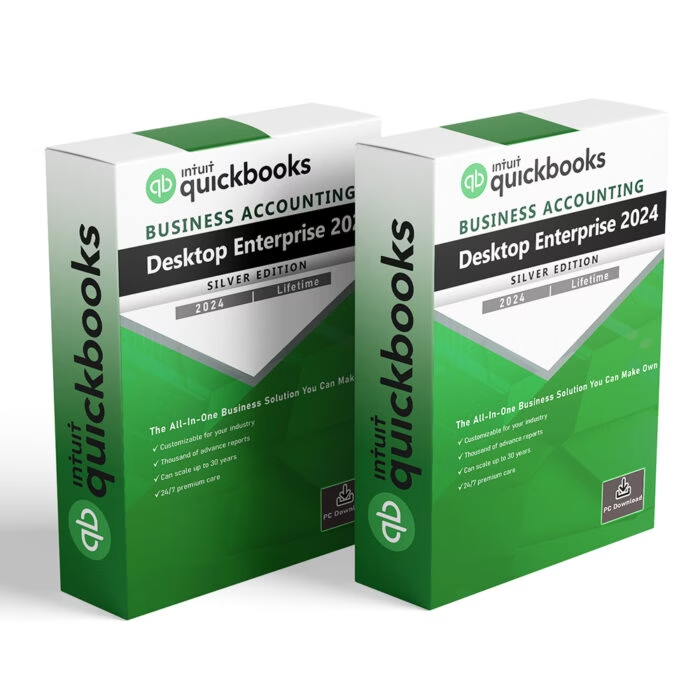
QuickBooks Desktop Enterprise 2024 United States (US) Version

QuickBooks Desktop Enterprise 2023 United States (US) Version

QuickBooks Desktop Enterprise 2022 United States (US) Version

QuickBooks Mac

QuickBooks for Mac 2024

QuickBooks for Mac 2023

QuickBooks for Mac 2022

QuickBooks Tool Hub Download Link at QuickBooks’ Website

QuickBooks File Doctor Download Link?

QuickBooks Install Diagnostic Tool

QuickBooks Database Server Manager

QuickBooks Online Consulting & Support

Streamline Your Accounting Anywhere with QuickBooks Online

QuickBooks Online is a cloud-based accounting solution designed for businesses and nonprofits that require flexibility, real-time collaboration, and accessibility from anywhere in the world. At Fanoos Accounting Services (FAS), we specialize in implementing, optimizing, and supporting QuickBooks Online to help you manage your finances efficiently, securely, and accurately.

With over 16 years of experience in accounting system development and financial management, we empower organizations to leverage the full potential of QuickBooks Online for bookkeeping, reporting, and strategic decision-making.


Why QuickBooks Online?

QuickBooks Online provides significant advantages for modern businesses:

  • Real-Time Access: View and manage your financial data anytime, anywhere.

  • Multi-User Collaboration: Team members, accountants, and managers can work simultaneously.

  • Automatic Updates & Cloud Backup: Always use the latest features with secure cloud storage.

  • Scalable & Flexible: Grow your accounting system with your business needs.

  • Integration Capabilities: Connect with payment platforms, CRM, payroll, and other apps.

Our QuickBooks Online solutions enable business owners and nonprofit leaders to focus on growth while leaving technical financial management to our professional team.


Our QuickBooks Online Services

1. QuickBooks Online Setup & Customization

  • Configure your chart of accounts to align with business structure.

  • Customize dashboards and reports for management, donor, or regulatory requirements.

  • Assign secure user roles and permissions to protect your data.

2. Real-Time Data Entry & Transaction Management

  • Record sales, expenses, invoices, payments, and deposits.

  • Maintain accurate customer and supplier ledgers.

  • Tag transactions by project, department, or donor for NGOs.

3. Bank & Account Reconciliation

  • Daily or weekly reconciliation of bank accounts and cash.

  • Identification and correction of discrepancies.

  • Ensure financial integrity for accurate reporting.

4. Advanced Reporting & Compliance

  • Profit & Loss Statements, Balance Sheets, Cash Flow Statements.

  • Project- and donor-specific reports for NGOs.

  • Audit-ready financial records for regulatory compliance.

5. Payroll & HR Integration (Optional)

  • Calculate salaries, deductions, allowances, and taxes.

  • Prepare payslips and payroll summaries.

  • Integration with HR or time-tracking apps for full workforce management.

6. Training & Support

  • Hands-on training for your team to maximize QuickBooks Online usage.

  • Guidance on best practices for bookkeeping, reporting, and compliance.

  • Continuous support for troubleshooting, upgrades, and feature optimization.


Why Choose FAS for QuickBooks Online?

  • Proven Expertise: Over 16 years of professional experience in accounting systems and software consultation.

  • Certified Professionals: QuickBooks ProAdvisor certified team ensures expert guidance.

  • Cost-Efficient Solutions: Reduce overhead and operational costs while accessing professional accounting support.

  • Flexible & Scalable Services: Tailored for startups, SMEs, large businesses, and nonprofit organizations.

  • Secure & Reliable: Encrypted cloud storage and access control guarantee data security.

  • Donor & Regulatory Compliance: Especially beneficial for NGOs requiring detailed reporting and audit readiness.


Our QuickBooks Online Process

  1. Assessment & Planning: Understand your business processes and financial reporting needs.

  2. Setup & Customization: Configure QuickBooks Online with tailored accounts, dashboards, and workflows.

  3. Data Migration: Import historical data from previous accounting systems accurately.

  4. Transaction Management: Ensure real-time recording and categorization of all financial activities.

  5. Review & Advisory: Regular supervision, reporting, and advisory on cash flow, budgets, and compliance.


Get Started with QuickBooks Online

QuickBooks Online, combined with FAS’s professional guidance, provides a comprehensive financial management solution for businesses and nonprofits operating inside and outside Afghanistan. Our team ensures you benefit from accurate reporting, improved efficiency, and compliance—all while minimizing operational costs.

📌 Contact us today to discuss a tailored proposal and discover how QuickBooks Online can transform your accounting processes.

QuickBooks Desktop Consulting & Support

Powerful Accounting at Your Fingertips with QuickBooks Desktop

QuickBooks Desktop is a robust, reliable, and highly customizable accounting solution that has been trusted by businesses worldwide for decades. At Fanoos Accounting Services (FAS), we specialize in implementing, optimizing, and supporting QuickBooks Desktop to ensure your accounting system is efficient, compliant, and tailored to your business needs.

With over 16 years of accounting system development experience, we help businesses and nonprofit organizations harness the full power of QuickBooks Desktop to manage financial activities, ensure accurate reporting, and maintain compliance with regulatory and donor requirements.


Why QuickBooks Desktop?

QuickBooks Desktop offers several advantages for businesses that require:

  • High-performance accounting software with rich functionality.

  • Offline access for sensitive data and secure operations.

  • Complex reporting capabilities tailored to your industry or donor requirements.

  • Advanced customization to fit specific business processes.

Our QuickBooks Desktop solutions empower you to take full control of your financial data while reducing operational complexity.


Our QuickBooks Desktop Services

Our Desktop version services cover every stage of the accounting lifecycle to ensure your system is perfectly aligned with your operational needs:

1. QuickBooks Desktop Setup & Customization

We configure QuickBooks Desktop to your exact requirements, including:

  • Designing a tailored chart of accounts.

  • Customizing reports to meet management, donor, or regulatory needs.

  • Setting up user roles and permissions for secure access.

2. Data Entry & Transaction Management

We ensure timely and accurate entry of your financial transactions:

  • Recording sales invoices, purchases, and expense receipts.

  • Processing vendor payments and customer receipts.

  • Managing bank and cash transactions efficiently.

3. Reconciliation Services

Our reconciliation process ensures financial integrity:

  • Bank statement reconciliation.

  • Account balancing and discrepancy resolution.

  • Petty cash reconciliation.

4. Reporting & Compliance

We provide accurate and detailed reporting to give you complete financial visibility:

  • Profit & Loss Statements

  • Balance Sheets

  • Cash Flow Reports

  • Donor-specific and project-based reports for NGOs

  • Audit-ready documentation

5. Training & Support

Our expert-led QuickBooks Desktop training ensures your team can operate the software efficiently:

  • Comprehensive software navigation.

  • Customized reporting workflows.

  • Best practices for bookkeeping and compliance.


Why Choose Our QuickBooks Desktop Service?

  • Proven Expertise: Over 16 years of delivering accounting systems for businesses and nonprofits.

  • Technical Excellence: Certified QuickBooks ProAdvisor with deep knowledge of QuickBooks Desktop features.

  • Customization: Reports and workflows tailored to your exact needs.

  • Cost Efficiency: Reduce accounting costs without compromising quality.

  • Compliance Assurance: Expertise in donor compliance, government reporting, and external audits.

  • Secure & Reliable: Offline access with backup options to protect your data.


Our QuickBooks Desktop Process

We follow a structured process to ensure your accounting system delivers maximum value:

  1. Initial Setup: Assess your needs and configure QuickBooks Desktop accordingly.

  2. Customization: Tailor accounts, reports, and workflows to your requirements.

  3. Transaction Management: Accurate, timely recording of all financial transactions.

  4. Review & Reconciliation: Continuous monitoring and reconciliation for accuracy.

  5. Reporting & Advisory: Monthly financial reporting plus advisory support for better decision-making.


Get Started with QuickBooks Desktop

Fanoos Accounting Services delivers not just a software setup, but a complete financial management solution tailored to your business needs. QuickBooks Desktop provides unmatched power for detailed accounting, and we ensure it delivers exactly what you need.

📌 Contact us today for a personalized proposal to implement, optimize, and support QuickBooks Desktop for your organization.

QuickBooks Software Download Links


Discover more from Fanoos Accounting Services

Subscribe to get the latest posts sent to your email.


Discover more from Fanoos Accounting Services

Subscribe to get the latest posts sent to your email.

QuickBooks ProAdvisor Tips-01

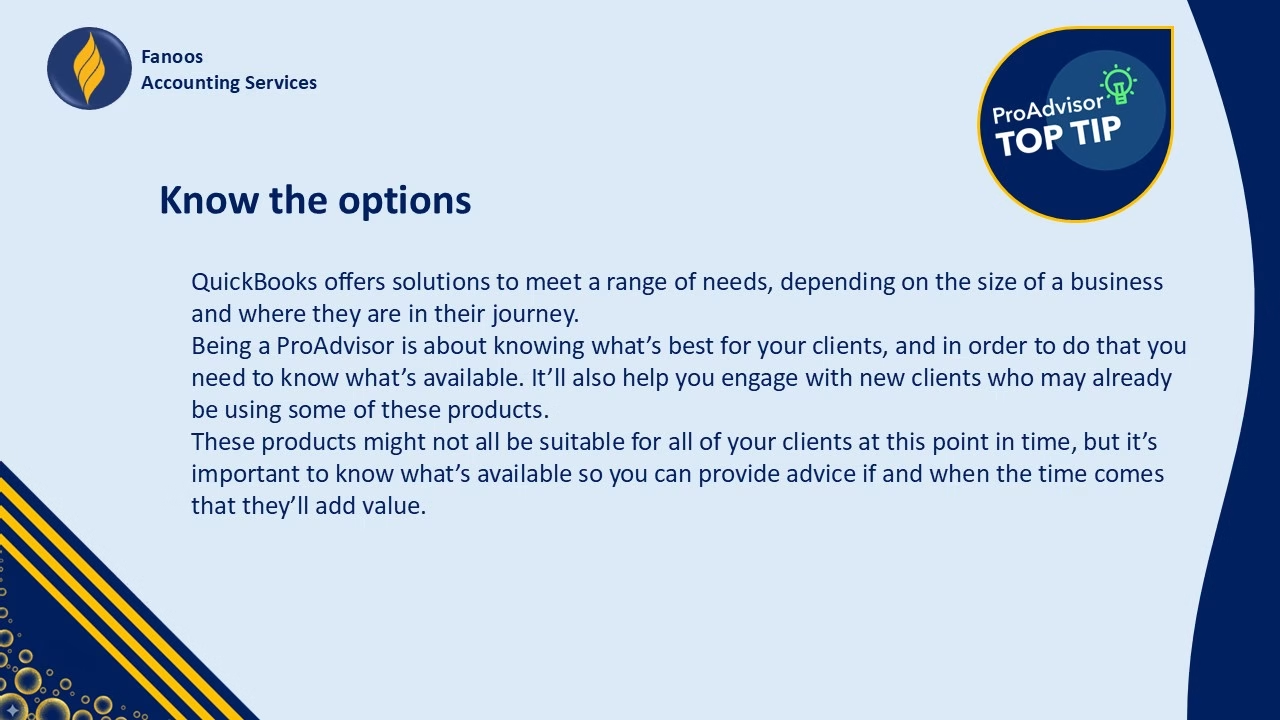
QuickBooks ProAdvisor Tips by Mohammad Aman Ahmadi | Tip #1: Know the Options

Becoming a QuickBooks ProAdvisor is more than just earning a certification—it’s about being a trusted advisor who truly understands the needs of different clients. One of the first and most important steps in this journey is knowing the options available in QuickBooks.

Why “Knowing the Options” Matters

QuickBooks isn’t a one-size-fits-all solution. It offers a variety of products designed for businesses at different stages:

  • Small startups that need simple bookkeeping tools

  • Growing businesses that require advanced features

  • Established organizations that want full financial management solutions

As a ProAdvisor, your value comes from recommending the right product at the right time. That means being familiar with all the QuickBooks solutions—even those your client may not be ready for yet.

Helping Clients with the Right Solution

Being a ProAdvisor isn’t just about setting up QuickBooks; it’s about understanding your clients’ business goals and guiding them to the product that adds the most value.

  • Some products may not fit their current needs.

  • But when their business grows or changes, your knowledge will help you provide the right advice.

  • This builds trust, strengthens relationships, and positions you as a reliable partner in their success.

Building Trust and Growing Your Practice

The more you understand QuickBooks options, the easier it is to engage with new clients—especially those who are already using QuickBooks. When they see that you understand the tools they’re working with, they’ll feel confident in your ability to support them.

In short, knowing the options not only helps your clients—it helps you grow your own practice as a ProAdvisor.


Stay tuned for more QuickBooks ProAdvisor Tips by Mohammad Aman Ahmadi. In the next post, we’ll continue exploring practical ways to strengthen your knowledge and become a more effective advisor.

YouTube player

Payroll Services

Managing payroll accurately is critical for every organization — it directly impacts employee satisfaction, compliance, and financial transparency. At Fanoos Accounting Services, we provide reliable Payroll Services designed to simplify and streamline your employee payment process.

Our payroll solutions cover every detail, starting from processing timesheet records and tracking attendance and absences to applying the correct taxes, statutory deductions, and allowances. We prepare accurate payroll sheets and issue detailed payslips for each employee, ensuring transparency and compliance with local labor and tax regulations.

We also help organizations set up standardized payroll procedures, making sure all records are properly maintained for audits, reporting, and financial management. Whether you manage a small team or a large workforce, our services are tailored to ensure accuracy, timeliness, and confidentiality in every payroll cycle.

With our expertise, your organization can save time, reduce errors, and focus on strategic goals while leaving the complex task of payroll management in trusted hands.

RFP & RFQ Announcements

At Fanoos Accounting Services, we recognize the importance of connecting organizations with the right service providers, consultants, and suppliers. That is why we provide a dedicated platform for publishing Requests for Proposals (RFPs) and Requests for Quotations (RFQs), making it easier for businesses, NGOs, and institutions to reach qualified vendors and receive competitive offers.

Our RFP/RFQ Announcements service benefits both sides of the process. For organizations, it provides a reliable channel to share procurement opportunities with a wider professional audience, ensuring transparency and attracting quality responses. For suppliers, contractors, and consultants, it creates a trusted hub where they can find new opportunities to bid, expand their client base, and grow their business.

Each announcement is published with clear details such as scope of work, eligibility criteria, submission requirements, and deadlines. This helps interested parties prepare accurate and timely proposals or quotations, reducing miscommunication and ensuring a smoother selection process.

We focus on opportunities in fields such as accounting, auditing, financial consulting, software solutions, capacity building, and other areas relevant to our community of professionals and organizations. By bridging the gap between demand and supply, we contribute to stronger partnerships and more effective project delivery.

With Fanoos Accounting Services, RFPs and RFQs are not just announcements — they are gateways to collaboration, growth, and long-term success for all stakeholders involved.

PHP Code Snippets Powered By : XYZScripts.com

Fanoos Accounting Services

Trusted Accountants

Skip to content ↓