QBES24

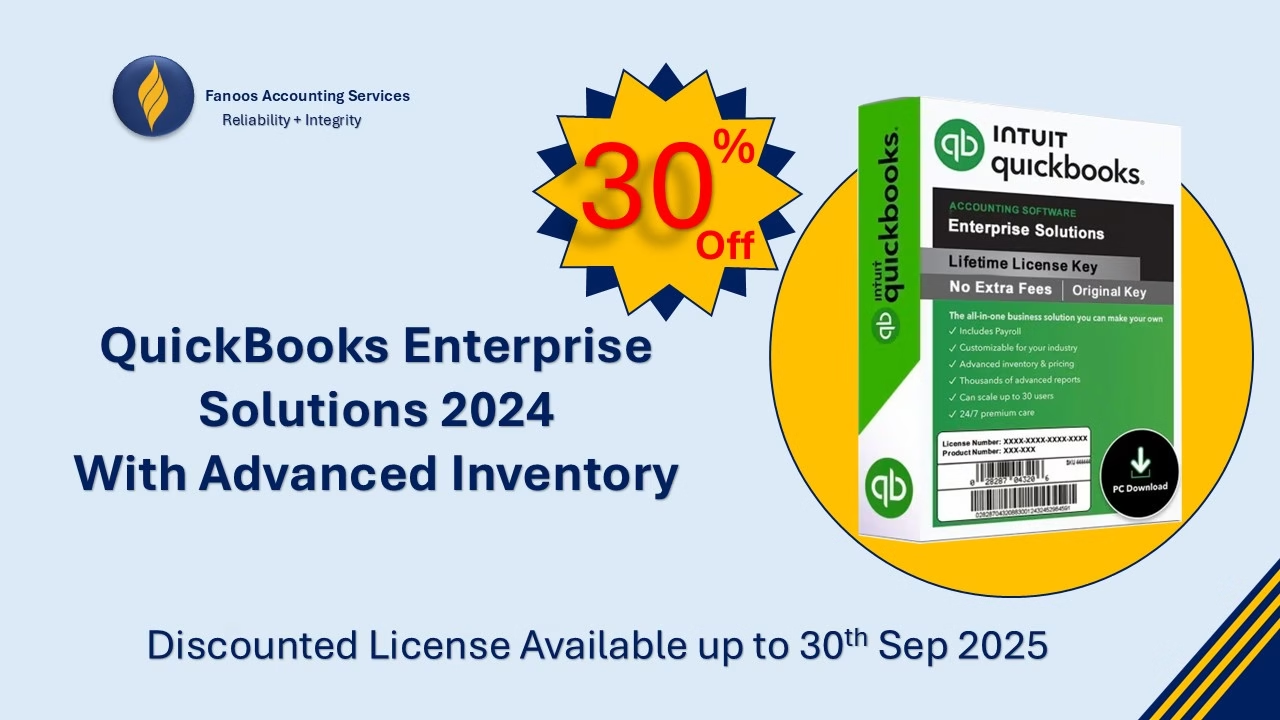
🚀 Special Offer: QuickBooks Enterprise Solutions 2025 with Advanced Inventory!

Fanoos Accounting Services is excited to bring you an exclusive 30% discount on QuickBooks Enterprise Solutions 2025 with Advanced Inventory Feature!

Manage your business like a pro—track inventory, streamline operations, and gain deep insights into your financials with the most powerful QuickBooks version yet.

Why Choose QuickBooks Enterprise 2025 with Advanced Inventory?

  • Real-time inventory tracking and reporting

  • Multi-location inventory management

  • Advanced pricing, reorder, and stock alerts

  • Powerful financial reporting to drive smarter decisions

  • Seamless integration with QuickBooks ecosystem

🎯 Limited-Time Offer:

  • Discount: 30% off

  • Valid Until: Sep 30th, 2025, 11:59 PM (Kabul Time)

Don’t miss this opportunity to upgrade your business operations and save!

Contact Us Today to claim your license and enjoy full support, installation, and training from our experts.

WhatsApp: +96897416438

Secure Cloud Backup Solutions with Fanoos Accounting Services

Powered by iDrive – Reliable, Scalable, and Affordable

At Fanoos Accounting Services, we understand how critical your data is. Whether you are a business, nonprofit organization, or an individual professional, protecting your information is essential for smooth operations, compliance, and peace of mind.

That’s why we have partnered with iDrive, a global leader in cloud storage and backup solutions, to bring you secure, flexible, and cost-effective data backup services. Through our official iDrive Reseller Program, we help our clients move confidently to the cloud with complete support.

👉 Create your own drive here:
Get Started with iDrive Cloud Backup


Why Choose iDrive with Fanoos Accounting Services?

When you sign up through our portal, you don’t just get a subscription—you gain a full support package from our expert team. We provide end-to-end assistance to ensure your transition to the cloud is smooth and your data is always safe.

Our Free Value-Added Services:

Account Setup – We create and configure your iDrive account for seamless access.
System Setup – Installation and integration across your devices and servers.
Training – Step-by-step guidance for you and your team on how to use iDrive effectively.
Backup Setup – Customized backup scheduling to fit your business or personal needs.
Data Restoration Support – Fast and reliable assistance whenever you need to recover files.


Key Benefits of iDrive Cloud Backup

  • Secure & Encrypted – Industry-standard encryption ensures your data remains private and protected.

  • Cross-Platform Support – Backup and sync data across PCs, Macs, iOS, Android, and servers.

  • Versioning & Snapshots – Keep multiple versions of your files and restore when needed.

  • Scalable Plans – Storage that grows with your requirements.

  • Disaster Recovery – Quick recovery options to minimize downtime in case of data loss.

  • Affordable Pricing – Pay less while enjoying enterprise-grade security and reliability.


Who Can Benefit?

  • Businesses & Startups – Protect customer data, accounting files, and operational records.

  • Nonprofit Organizations – Ensure critical donor and project files are always safe.

  • Educational Institutions – Safeguard research data, reports, and student records.

  • Freelancers & Professionals – Secure important client documents, creative work, and portfolios.

  • Individuals – Protect personal files, family photos, and sensitive documents.


Get Started Today

Start protecting your valuable data with iDrive through Fanoos Accounting Services. Our team will be with you every step of the way—from setup to ongoing support.

👉 Click here to sign up now:
Join iDrive with Fanoos Accounting Services

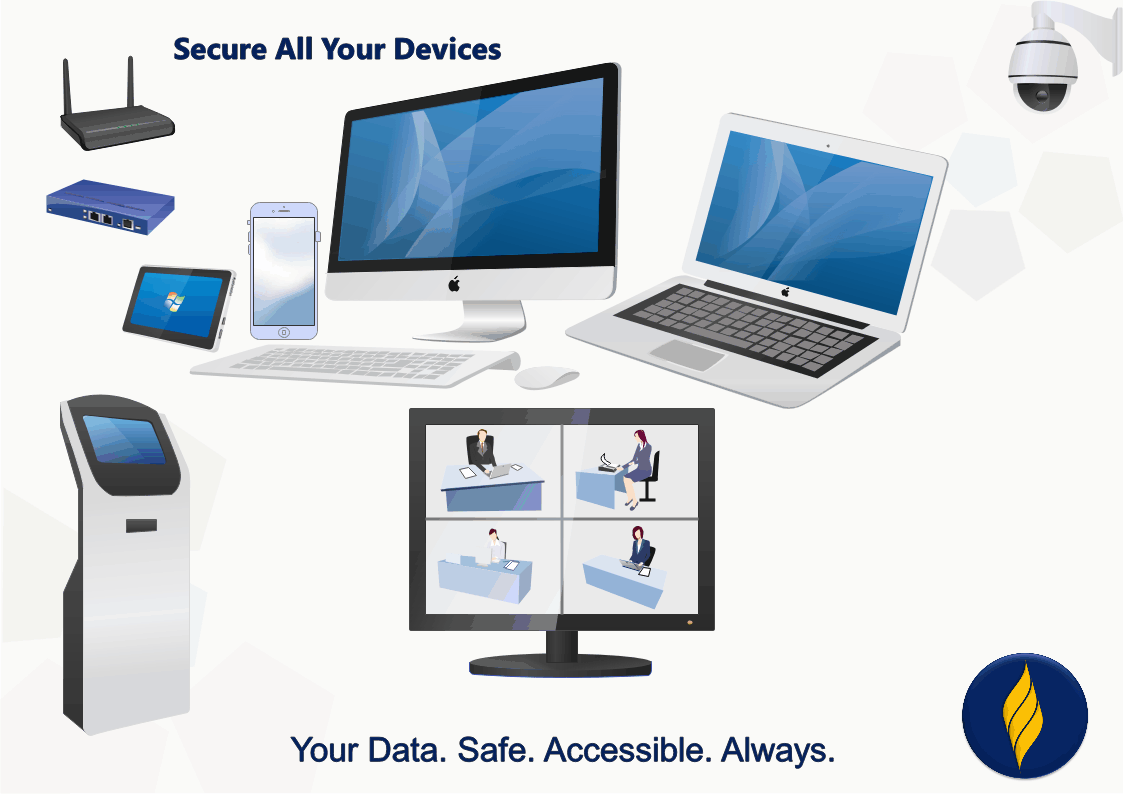
Your Data. Safe. Accessible. Always.

QuickBooks Business Network

Learn about the QuickBooks Business Network

The QuickBooks Business Network lets you connect with your customers and vendors. By connecting, you can send invoices to your customers through the network, and receive bills from your vendors directly in your QuickBooks. They’re ready to review and pay, so you don’t have to manually create bills. Also, the contact info for your connections will stay up-to-date if they make changes in their QuickBooks. These automation tools help you streamline workflows, better predict cash flow, and reduce manual entry tasks.

Note: QuickBooks Online Accountant users may search the QuickBooks Business Network to find contacts or change network visibility within their clients' QuickBooks Online accounts. However, QuickBooks Online Accountant contact information (that is, the file labeled "Your Books") isn't published in the QuickBooks Business Network, so the search and visibility experience isn't available for this group of QuickBooks customers.

Verify your business contact details

After you send or accept a QuickBooks Business Network invitation, your customer-facing contact information is shown to your customer or vendor. Be sure to update your contact details so that your connections have accurate information about you:

  1. Sign in to QuickBooks Online as an admin as a Primary admin or Admin (Company admin).
  2. Go to Settings ⚙ and select Account and settings.
  3. Select the Company tab.
  4. Update the following contact information, if needed:
    • Company name
    • Customer-facing email
    • Company phone
    • Website
    • Customer-facing address
  5. Select Save, then Done.

Add contacts in the QuickBooks Business Network

You can search the Business Network and add contacts by selecting New customer or New vendor in QuickBooks Online. Here's how it works:

  • Type the name of a business in the Company name field and results from the QuickBooks Business Network appear.
  • Select a business from the list and the form populates with the business’ website, city, state, and ZIP code from their customer-facing address. The business’ customer-facing email, phone number, and full address are partially masked until an invitation to connect is sent or accepted.
  • You can also manually add contact details for your customer or vendor. However, changing the information in any of the fields with a link Image of the link icon. will stop automatic updates from the QuickBooks Business Network if the business later changes their contact details.
  • Finish by selecting Save and send request at the bottom of the form. This adds the business to your Customer or Vendor List, and sends the business an email invitation to connect. You can also receive invitations to connect from the QuickBooks Online app on your iOS or Android device.
  • If your customer or vendor accepts the invitation, their partially masked business contact details will be unmasked and you’ll be able to send and receive invoices through the network.

Use automation powered by the QuickBooks Business Network

The QuickBooks Business Network also powers the Accounts Payable (AP) automation feature. When you send an invoice to a customer you’re connected to via the QuickBooks Business Network, the invoice is emailed, and also appears automatically in their QuickBooks account as a bill to review and pay. Likewise, you’ll be able to add bills from your vendors automatically once you’re connected.

Learn more about Accounts Payable automation.

Manage your connections and invitations

You can remove a connection or withdraw an invitation at any time. Here’s how:

  1. Sign in to your QuickBooks Online account.
  2. Do one of the following:
  3. Select the Business Network icon Image of the QuickBooks Business Network icon or the invitation sent badge Image of the Invite sent badge.
  4. Select Remove, then Remove.

The business remains a saved contact in your Customer or Vendor List. Invoices that are sent or received between you and the saved contact will no longer go through the Business Network.

Manage your QuickBooks Business Network visibility

If you don't want your business searchable in the QuickBooks Business Network, you can change your network visibility. Here’s how:

  1. Sign in to your QuickBooks Online account.
  2. Go to Settings Settings gear icon., then select Account and settings.
  3. Select the Advanced tab.
  4. Select Business Network, then select Off.
  5. Select Save, then Done.

Once you change your visibility to "Off", QuickBooks Online customers won’t be able to find your business if they search the QuickBooks Business Network. However, you can still search the QuickBooks Business Network for your customers and vendors, send invitations to connect, and use the AP Automation feature. Your connections made before turning off your visibility will still have your customer-facing contact information and can use the AP Automation feature to send/receive invoices through the QuickBooks Business Network. However, they will no longer get your updated contact details if you make a change in your account settings.

Keep your data safe and secure

QuickBooks is committed to protecting your privacy. For more information about how we keep your data secure, visit our Privacy and Security Center.

Use of the QuickBooks Business Network for spam, marketing, or other activities which violate applicable Intuit Terms of Service is strictly prohibited. You may only view and connect with other QuickBooks Business Network members located in your geography. All Business Information is provided by QuickBooks Online customers and is not independently verified or endorsed by Intuit. Intuit reserves the right to limit your use of the QuickBooks Business Network, including your ability to connect with other members and be listed in the network per our Intuit Terms of Service.

QBO Limits

Learn about QuickBooks Online usage limits

  • Billable users: 1 user.
  • Non-billable users: 2 accountant firm users. Reports-only and time tracking-only users are not available for this subscription.
  • Classes and locations (combined): Not available for this subscription.
  • Chart of accounts: Maximum of 250 accounts.
  • Custom fields: 1 per transaction.
  • QuickBooks Commerce Accounting: Maximum of 1 sales channel connected.
  • Billable users: 3 users.
  • Non-billable users: 2 accountant firm users. Unlimited time tracking only users. Reports-only users are not available for this subscription.
  • Classes and locations (combined): Not available for this subscription.
  • Chart of accounts: Maximum of 250 accounts.
  • Custom fields: 4 per transaction.
  • QuickBooks Commerce Accounting: Maximum of 3 sales channels connected.
  • Billable users: 5 users.
  • Non-billable users: 2 accountant firm users. Unlimited time tracking-only and reports-only users.
  • Classes and locations (combined): 40 combined classes and locations.
  • Chart of accounts: Maximum of 250 accounts.
  • Custom fields: 4 per transaction.
  • QuickBooks Commerce Accounting: Unlimited sales channels can be connected.
  • Billable users: 25 users.
  • Non-billable users: 3 accountant firm users. Unlimited time tracking-only, and reports-only users.
  • Classes and locations: Unlimited classes and locations.
  • Chart of accounts: Unlimited accounts.
  • Custom fields: 12 per transaction.
  • QuickBooks Commerce Accounting: Unlimited sales channels can be connected.

QuickBooks Online Glossary

Master QuickBooks Online with Fanoos

If you want to become more professional in accounting and financial management with QuickBooks Online, understanding its terminology is a key first step. Many accountants and business owners face challenges simply because they are not familiar with the core concepts and terms used in the system.

At Fanoos Accounting Services, we have prepared this comprehensive QuickBooks Online Glossary to help you:

  • Clearly understand QuickBooks Online’s key terms and features.
  • Learn and work with the software more easily and efficiently.
  • Stay ahead in your accounting and financial management career.

This resource is free to access and serves as a practical guide at your fingertips. We encourage you to download it now from our website and take your QuickBooks skills to the next level!

Free QuickBooks eBook Download:

The Definitive Guide to Digitalizing Your Small Business with Cloud Accounting

Is your business still stuck in piles of paperwork, manual data entry, or outdated desktop software? It's time to transform your operations and unlock the power of cloud accounting.

At Fanoos Accounting Services, we’ve created the ultimate step-by-step guide to help small business owners, entrepreneurs, and accounting professionals embrace digital transformation — without the stress.

🎯 What You’ll Learn Inside This Free Guide:

  • ✅ Why digitalizing your business is no longer optional in today’s market

  • ✅ The top benefits of cloud accounting for small businesses

  • ✅ A comparison of leading cloud software: QuickBooks Online, Xero, MYOB

  • ✅ How to move your data securely to the cloud

  • ✅ Practical case studies from Afghan businesses

  • ✅ Expert tips for implementation, automation, and cost reduction

💡 Whether you run a retail shop, education center, NGO, manufacturing unit, or service business, this guide is tailored to meet your needs — especially in environments where security, cash-based transactions, and remote work are essential.


🔽 Download the Guide for Free

Start digitalizing your business today. Gain insights trusted by hundreds of Afghan and international companies.

👉 Download Now


Why Fanoos Accounting Services?

We're not just consultants — we’re your partners in growth. From QuickBooks implementation and training to full-scale financial outsourcing, we’re on a mission to empower Afghan businesses with modern, efficient, and ethical accounting systems.

🌐 Visit us regularly for new resources, training, and free workshops.

Outsourced Bookkeeping Services

Outsourced Bookkeeping Services

Managing day-to-day financial records is one of the most time-consuming yet critical tasks for any business or organization. At Fanoos Accounting Services, we take the complexity out of bookkeeping by offering reliable and confidential outsourced bookkeeping solutions tailored to your needs. Our goal is simple: give you peace of mind while you focus on growing your business.

What We Do

Our outsourced bookkeeping services cover the full cycle of financial recordkeeping:

  • Recording daily transactions with accuracy and attention to detail

  • Categorizing expenses and revenues in line with accounting standards

  • Reconciling accounts with supporting documents provided by the client

  • Preparing monthly, quarterly, or annual financial reports

  • Providing real-time insights for better financial decision-making

We act as your trusted back-office partner, ensuring your books are always up to date, error-free, and ready for management review, auditors, or donors.

Key Benefits

  • Save Time: Eliminate the burden of routine bookkeeping tasks.

  • Ensure Accuracy: Benefit from professional oversight to minimize errors.

  • Confidentiality Guaranteed: Your financial data is handled with the highest level of care.

  • Cost-Effective: Avoid the overhead of hiring and training in-house staff.

  • Scalable Service: Whether you’re a startup, SME, or NGO, our services grow with your needs.

Why Choose Fanoos Accounting Services?

  • More than 15 years of experience in bookkeeping and accounting system development

  • Expertise with leading software including QuickBooks, Xero, and MYOB

  • Proven track record supporting NGOs, businesses, and institutions locally and internationally

  • Commitment to delivering timely, accurate, and actionable financial information

Let’s Simplify Your Bookkeeping

Outsourcing your bookkeeping to Fanoos Accounting Services means more than just recording transactions — it’s about gaining a partner dedicated to your financial clarity and long-term success. Contact us today to explore a service package that fits your organization’s needs.

Our Outsourced Bookkeeping Services Packages

Basic Package

Simple Bookkeeping

$50

Per Month

  • QuickBooks Desktop Version
  • Only Reporting User
  • Monthly Backup file
  • Financial Statements
  • Limited Support
Request Now
Best Choice

Standard Package

Mediume Bookkeeping

$150

Per Month

  • QuickBooks Online Essentials
  • Only Accountant User 
  • Including all Basic Package
  • Monthly Hard Document Review
  • With Free Tax Advisory
Request Now

Premium package

Advanced Bookkeeping

$250

Per Month

  • QuickBooks Online Plus
  • 1 Accountant + 1 Admin User
  • Including all Standard Package
  • Budgeting and Management Reporting
  • With Free Financial Advisory
Request Now
Request a Proposal

Managing books doesn’t have to be stressful or expensive. At Fanoos Accounting Services, we provide cost-effective outsourced bookkeeping tailored to businesses and NGOs operating in Afghanistan. From preparing accurate financial reports for donors and government ministries to ensuring compliance for external audits, we deliver the professional support you need — at a fraction of the cost of hiring full-time staff.

register
it's completely free

Financial Formats

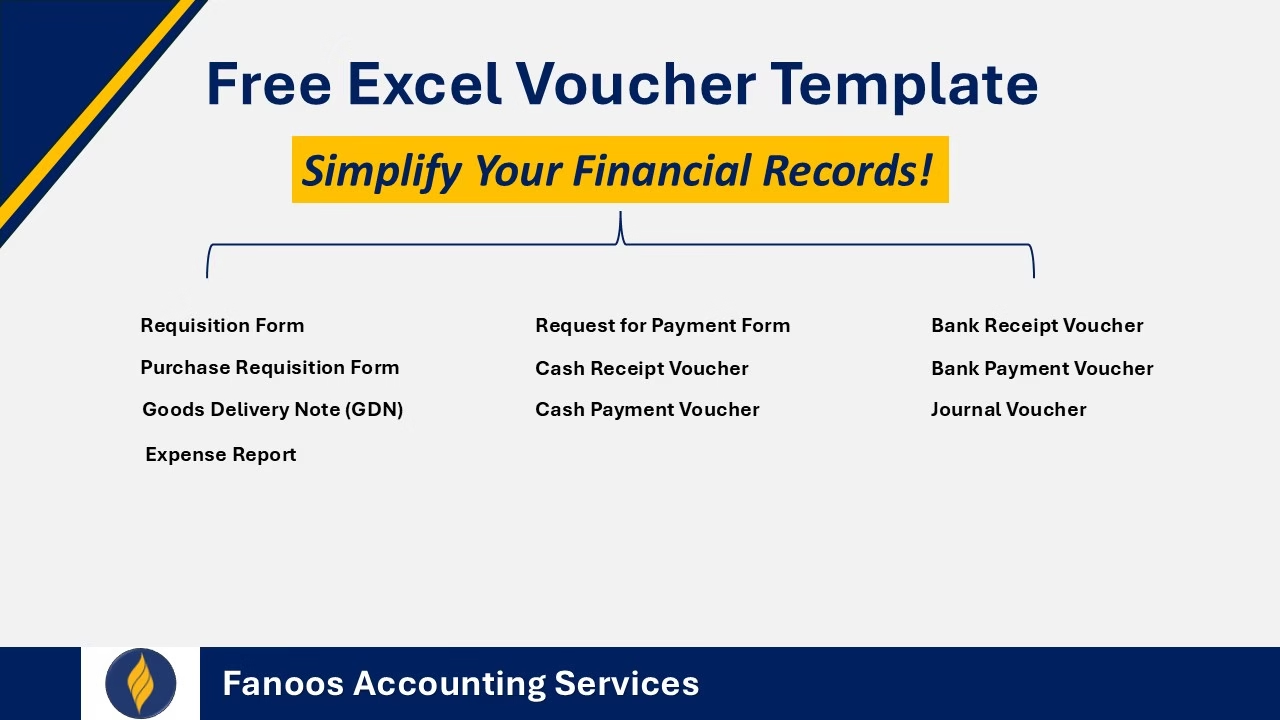
Free Excel Voucher Template – Simplify Your Financial Records!

Keeping track of your financial transactions doesn’t have to be complicated. I’ve designed a professional voucher format in MS Excel that’s easy to use and helps you maintain accurate financial records—whether you’re running a small business, managing an NGO, or just need a better way to organize your expenses.

Why You'll Love This Template:

Simple & User-Friendly – No complex formulas, just a clean and efficient layout.
Automated Calculations – Say goodbye to manual errors and miscalculations.
Professional Design – Looks great and is ready for business use.
Fully Customizable – Adjust it to match your company’s needs.

Who Is This For?

If you're a business owner, accountant, freelancer, or finance manager, this template is designed to make your life easier. Download Link

Looking for More?

Beyond this free voucher format, I specialize in helping businesses create financial policies, SOPs, and accounting systems that actually work. If you need:
📌 A structured financial policy for your organization
📌 Clear, easy-to-follow accounting SOPs
📌 Custom bookkeeping templates that fit your workflow
📌 Expert guidance on setting up an efficient accounting system

I’m here to help. Let’s talk and see how we can streamline your financial operations.

What is Mendelow’s Matrix?

Mendelow’s Matrix: A Strategic Tool for Stakeholder Analysis

Introduction

In today's competitive business environment, understanding stakeholders' influence and interest is essential for effective strategic decision-making. Mendelow’s Matrix, a widely used stakeholder analysis tool, helps organizations assess and manage their stakeholders based on two key factors: power and interest. By using this framework, businesses can prioritize stakeholder engagement and allocate resources efficiently.

Understanding Mendelow’s Matrix

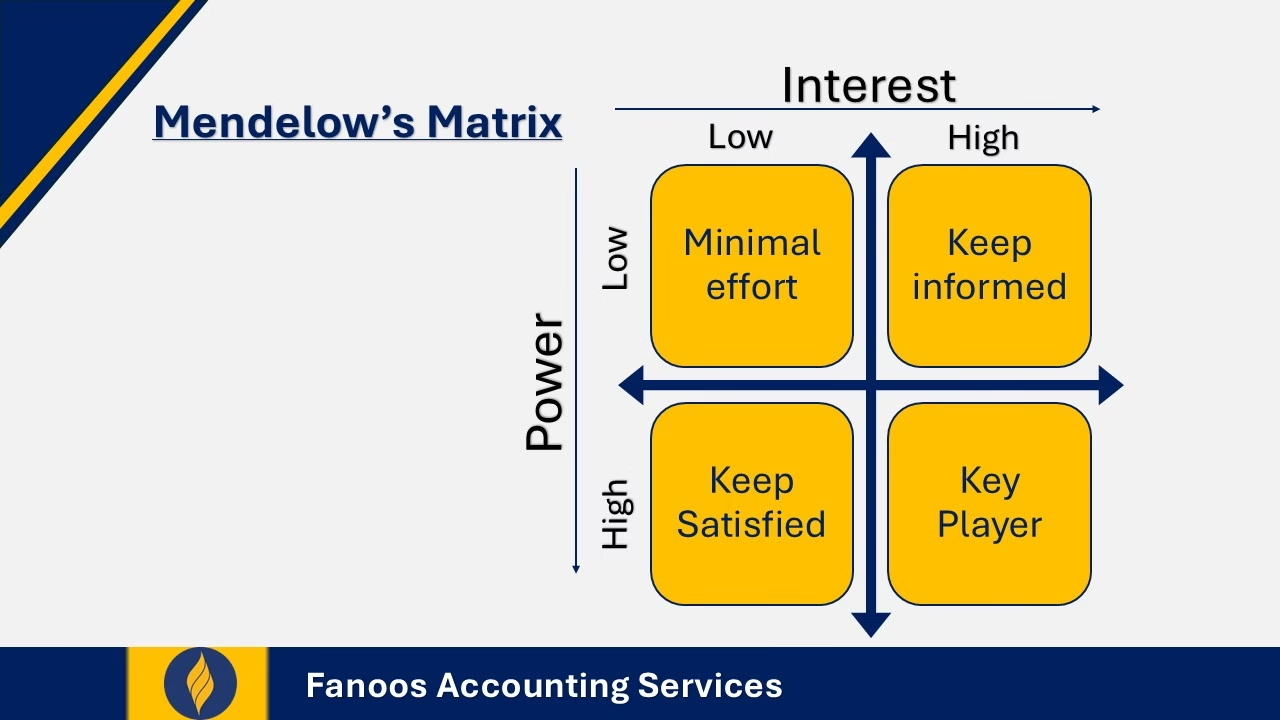
Mendelow’s Matrix is a four-quadrant model that categorizes stakeholders based on their level of power (ability to influence decisions) and interest (concern with the organization’s actions). This helps businesses determine the appropriate engagement strategy for each stakeholder group.

The Four Quadrants of Mendelow’s Matrix

  1. High Power, High Interest (Key Players)

    • These stakeholders have significant influence and are deeply involved in the organization’s operations.
    • Strategy: Engage them closely and regularly in decision-making to maintain their support.
    • Examples: Investors, major customers, senior executives, regulatory authorities.
  2. High Power, Low Interest (Keep Satisfied)

    • They have the power to impact decisions but are less involved in day-to-day operations.
    • Strategy: Keep them informed and satisfied to avoid negative interference.
    • Examples: Government agencies, board members, influential media.
  3. Low Power, High Interest (Keep Informed)

    • These stakeholders are highly interested in the business but lack significant power to influence decisions.
    • Strategy: Maintain regular communication to keep them engaged and informed.
    • Examples: Employees, local communities, non-major customers.
  4. Low Power, Low Interest (Monitor)

    • These stakeholders have minimal power and limited interest in the organization.
    • Strategy: Monitor them occasionally but do not invest excessive resources in engagement.
    • Examples: General public, minor suppliers.

Why Is Mendelow’s Matrix Important?

  • Helps in Stakeholder Prioritization – Organizations can focus their efforts on the most influential stakeholders.
  • Enhances Strategic Decision-Making – Ensures that business decisions align with key stakeholders’ expectations.
  • Improves Resource Allocation – Helps companies use resources effectively by targeting critical stakeholders.
  • Reduces Potential Risks – Identifies possible stakeholder resistance and allows businesses to address concerns proactively.

Real-World Application

Example: A Manufacturing Company Expanding Operations

A manufacturing company planning to expand internationally can use Mendelow’s Matrix to map out its key stakeholders:

  • High Power, High Interest: Government regulators and major investors need constant updates to ensure compliance and secure funding.
  • High Power, Low Interest: Industry watchdogs and trade unions must be kept satisfied to prevent obstacles.
  • Low Power, High Interest: Employees and local communities should be engaged and informed to foster goodwill.
  • Low Power, Low Interest: The general public requires minimal attention, but their perception should still be monitored.

By using Mendelow’s Matrix, the company can tailor its communication and engagement strategies to different stakeholders, ensuring a smooth expansion process.

Conclusion

Mendelow’s Matrix is a powerful tool for businesses to manage their stakeholders effectively. By categorizing stakeholders based on their power and interest, organizations can develop targeted engagement strategies, minimize risks, and ensure long-term success. Whether for corporate strategy, project management, or change initiatives, this model remains an essential part of effective stakeholder management.

Would you like assistance in applying Mendelow’s Matrix to your business strategy? Contact Fanoos Accounting Services today for expert guidance!

Continue reading "What is Mendelow’s Matrix?"

Doing Business in Oman

PwC's "Doing Business in Oman – Tax and Legal Guide" provides a comprehensive overview of the taxation and legal landscape for businesses operating in Oman. The guide serves as an essential resource for investors and companies seeking to understand the regulatory environment in the Sultanate.

Country Overview

Oman, strategically located in the south-eastern quarter of the Arabian Peninsula, has a population of approximately 4.8 million, with expatriates constituting nearly 46% of the populace. The nation has historically leveraged its strategic location as a trading hub and is now aiming to become a global logistics center. Arabic is the official language, but English is widely used in business contexts. In the World Bank's 'Ease of Doing Business 2020' report, Oman improved its ranking to 68th, reflecting ongoing efforts to enhance the business environment.

Legal and Regulatory Framework

Oman operates under a civil law system influenced by Islamic Shari’a principles. The primary sources of law include the 1996 Basic Statute of the State and Islamic Shari’a. The Basic Law designates Islam as the state religion and Shari’a as the foundation of legislation, particularly governing family law and inheritance matters. The Commercial Court handles commercial disputes, with judges interpreting agreements to reflect the original intentions of the parties involved.

Establishing a Business

Foreign investors can establish operations in Oman through various structures, including:

  • Limited Liability Company (LLC): This is the most common form, requiring a minimum of two shareholders and a capital contribution as stipulated by law.

  • Joint Stock Company: Suitable for larger investments, this structure can be public or closed, with specific capital requirements and shareholder structures.

  • Branch: Foreign companies can operate through a branch in Oman, subject to obtaining the necessary licenses and approvals.

Each structure has distinct legal and regulatory requirements, and investors should choose the one that aligns best with their business objectives.

Taxation

Oman's taxation system encompasses several key components:

  • Corporate Income Tax (CIT): A standard rate of 15% applies to all taxpayers, except for Omani proprietorships and LLCs that qualify as small and medium enterprises (SMEs), which are taxed at a reduced rate of 3%, provided they meet specific criteria.

  • Value Added Tax (VAT): Implemented in April 2021, Oman introduced a VAT at a standard rate of 5%, with certain exemptions and zero-rated supplies as specified under the Oman VAT Law.

  • Withholding Tax (WHT): A 10% WHT is levied on specific payments made to non-residents, including dividends, interest, and royalties.

  • Customs Duties: A standard customs duty rate of 5% is applied to most goods imported into Oman, with certain goods subject to different rates.

Recent Legal Developments

Oman has enacted several laws to diversify its economy and improve the business environment:

  • Foreign Capital Investment Law (FCIL): Introduced to encourage foreign investment by providing a clear framework and incentives for investors.

  • Public-Private Partnership (PPP) Law: Aimed at stimulating efficiency and quality in public services by involving the private sector in executing projects in partnership with the government.

  • Privatisation Law: Regulates public projects awarded to private sector companies, facilitating the transfer of certain public sector services and assets to private entities.

  • Bankruptcy Law: Provides a legal framework for bankruptcy cases, complementing provisions in the Commercial Companies Law related to dissolution and liquidation.

PwC's guide offers an in-depth analysis of these aspects, serving as a valuable resource for businesses and investors considering operations in Oman. For a detailed understanding, readers are encouraged to consult the full guide.

For more information you can dowland the guide from here!

Continue reading "Doing Business in Oman"

PHP Code Snippets Powered By : XYZScripts.com