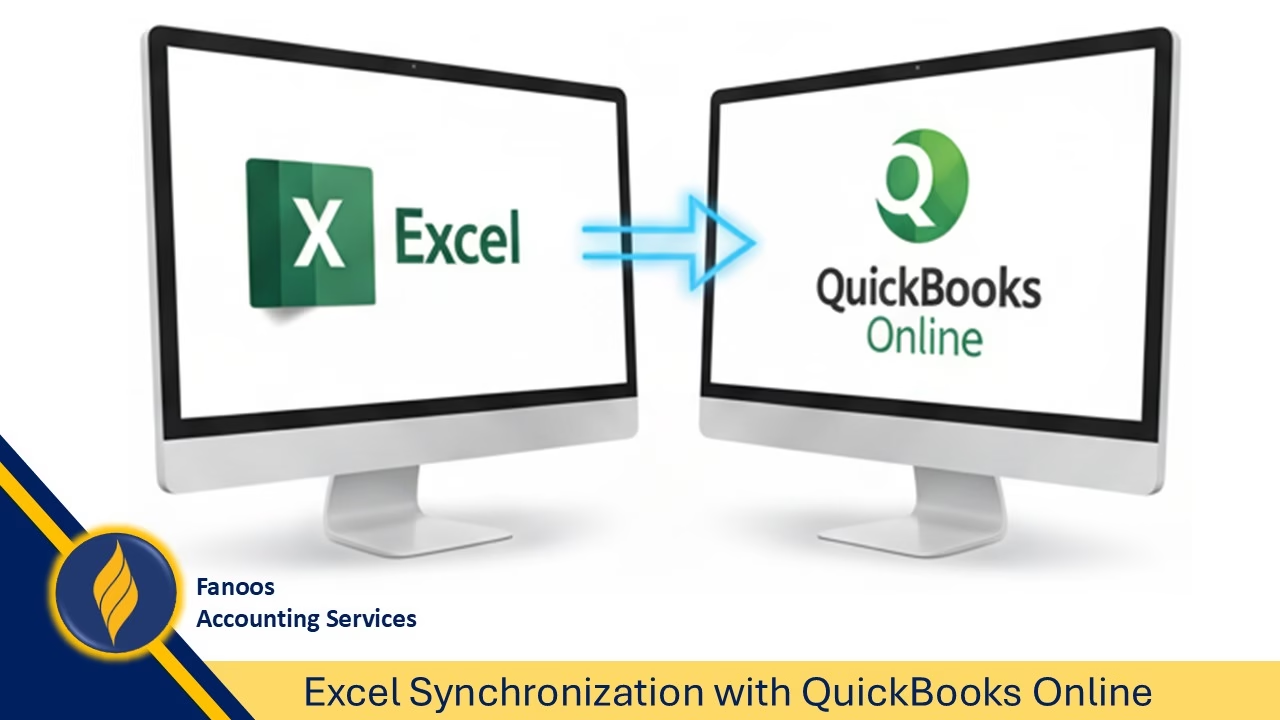
Excel Synchronization with QuickBooks Online

Unlocking the Power of Excel Synchronization with QuickBooks Online

In today’s fast-paced business world, efficiency and accuracy in financial management are critical. QuickBooks Online has become a trusted accounting solution for small and medium businesses, but when combined with Microsoft Excel through Excel Synchronization (Spreadsheet Sync), it creates a powerful ecosystem for managing data, reporting, and decision-making.

At Fanoos Accounting Services, we help organizations take full advantage of this integration. Below, we explore the key benefits of Excel synchronization with QuickBooks Online.


🔹 Key Benefits of Excel Synchronization with QuickBooks Online

1. Time-Saving Efficiency

Instead of manually exporting data, copying, pasting, and re-importing, synchronization enables seamless data flow between QuickBooks Online and Excel. Users can bulk upload invoices, bills, journal entries, or customer/vendor lists directly from Excel, saving countless hours.

2. Accuracy and Error Reduction

Human error is common in manual entry. With synchronization, data stays consistent across both platforms, minimizing mistakes and improving financial accuracy. This ensures compliance and more reliable reporting.

3. Advanced Custom Reporting

QuickBooks offers standard reports, but Excel provides unlimited flexibility. By syncing data, accountants can build custom dashboards, pivot tables, financial models, and visualizations that meet specific business needs.

4. Real-Time Financial Insights

Reports in Excel can be refreshed with the latest QuickBooks data. This feature ensures that managers always have real-time information for decision-making without waiting for monthly reports.

5. Multi-Company Consolidation

For businesses managing multiple entities, synchronization allows data from several QuickBooks companies to be merged into one Excel file. This creates consolidated reports and simplifies group financial analysis.

6. Scalability and Bulk Data Management

Handling large datasets—such as updating thousands of transactions, customer records, or inventory items—is more manageable in Excel. Once validated, these updates can be synced back to QuickBooks with minimal effort.

7. User-Friendly for Finance Teams

Finance professionals often feel more comfortable working in Excel. Synchronization empowers them to continue using their preferred tools while ensuring alignment with QuickBooks data.


⚠️ Considerations and Limitations

  • Available only in QuickBooks Online Advanced or Accountant versions.

  • Requires a modern version of Microsoft Excel (Office 365 recommended).

  • Setup and field mapping need care to avoid sync errors.

  • Large datasets may impact performance.


✅ Conclusion

Excel Synchronization with QuickBooks Online is not just a convenience—it is a strategic advantage for businesses seeking efficiency, accuracy, and smarter financial insights. By connecting two of the most powerful tools—QuickBooks and Excel—you can take your accounting and reporting capabilities to the next level.

At Fanoos Accounting Services, we guide businesses in implementing this solution effectively. Watch our full video tutorial on YouTube to see Excel synchronization in action:

YouTube player
Continue reading "Excel Synchronization with QuickBooks Online"

Six Realities of Life

Six Realities of Life – Lessons Beyond Numbers

At Fanoos Accounting Services, we believe success in business and in life goes hand in hand with timeless values. Numbers may tell a story, but principles give that story meaning. Here are six realities of life that inspire us daily:

1️⃣ Success is nothing without integrity
Achievements are hollow if they are not built on honesty, transparency, and strong ethical foundations.

2️⃣ Freedom is nothing without responsibility
True independence — whether personal or professional — comes with accountability for our actions and decisions.

3️⃣ Knowledge is nothing without action
Learning has value only when applied. It is action that transforms information into progress.

4️⃣ Love is nothing without trust
In both relationships and partnerships, trust is the invisible thread that holds everything together.

5️⃣ Growth is nothing without struggle
Every challenge we overcome becomes a stepping stone toward greater strength and resilience.

6️⃣ Time is nothing without purpose
Time is the most valuable resource. Without clear goals, even years can slip away unnoticed.

✨ At Fanoos, we carry these lessons into our work — serving clients with integrity, responsibility, and purpose while constantly striving for growth.

Accountants – Toolkit

Transform your work with a QuickBooks more powerful!

Automation where it counts. Human where it matters. QuickBooks, powered by the Intuit platform, now offers Intuit AI agents that help you save time and keep your client relationships strong. And, we’ve improved the QuickBooks experience to help you manage more of your work in one place. This toolkit answers questions you and your clients may have about the new experience’s features, so you’re prepared to make it all work for you, your firm, and your clients. Click here to see or download the accountants-toolkit file. 

QBES24

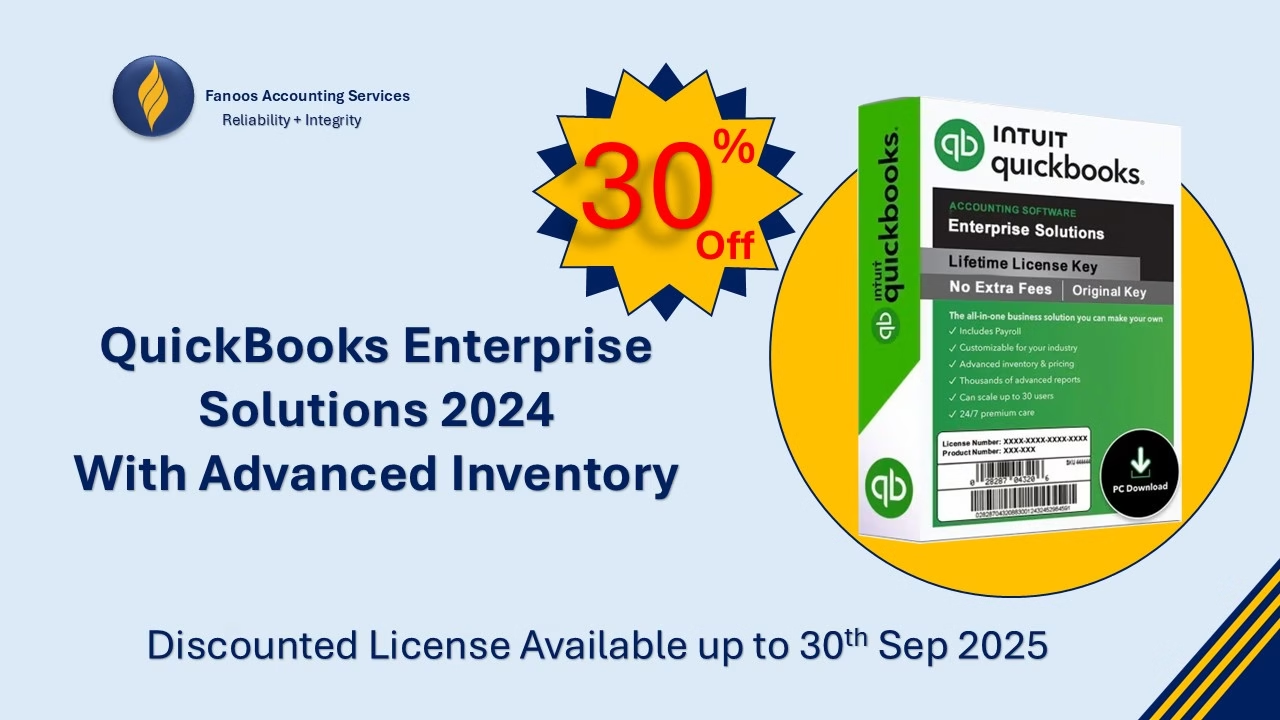
🚀 Special Offer: QuickBooks Enterprise Solutions 2025 with Advanced Inventory!

Fanoos Accounting Services is excited to bring you an exclusive 30% discount on QuickBooks Enterprise Solutions 2025 with Advanced Inventory Feature!

Manage your business like a pro—track inventory, streamline operations, and gain deep insights into your financials with the most powerful QuickBooks version yet.

Why Choose QuickBooks Enterprise 2025 with Advanced Inventory?

  • Real-time inventory tracking and reporting

  • Multi-location inventory management

  • Advanced pricing, reorder, and stock alerts

  • Powerful financial reporting to drive smarter decisions

  • Seamless integration with QuickBooks ecosystem

🎯 Limited-Time Offer:

  • Discount: 30% off

  • Valid Until: Sep 30th, 2025, 11:59 PM (Kabul Time)

Don’t miss this opportunity to upgrade your business operations and save!

Contact Us Today to claim your license and enjoy full support, installation, and training from our experts.

WhatsApp: +96897416438

Secure Cloud Backup Solutions with Fanoos Accounting Services

Powered by iDrive – Reliable, Scalable, and Affordable

At Fanoos Accounting Services, we understand how critical your data is. Whether you are a business, nonprofit organization, or an individual professional, protecting your information is essential for smooth operations, compliance, and peace of mind.

That’s why we have partnered with iDrive, a global leader in cloud storage and backup solutions, to bring you secure, flexible, and cost-effective data backup services. Through our official iDrive Reseller Program, we help our clients move confidently to the cloud with complete support.

👉 Create your own drive here:
Get Started with iDrive Cloud Backup


Why Choose iDrive with Fanoos Accounting Services?

When you sign up through our portal, you don’t just get a subscription—you gain a full support package from our expert team. We provide end-to-end assistance to ensure your transition to the cloud is smooth and your data is always safe.

Our Free Value-Added Services:

Account Setup – We create and configure your iDrive account for seamless access.
System Setup – Installation and integration across your devices and servers.
Training – Step-by-step guidance for you and your team on how to use iDrive effectively.
Backup Setup – Customized backup scheduling to fit your business or personal needs.
Data Restoration Support – Fast and reliable assistance whenever you need to recover files.


Key Benefits of iDrive Cloud Backup

  • Secure & Encrypted – Industry-standard encryption ensures your data remains private and protected.

  • Cross-Platform Support – Backup and sync data across PCs, Macs, iOS, Android, and servers.

  • Versioning & Snapshots – Keep multiple versions of your files and restore when needed.

  • Scalable Plans – Storage that grows with your requirements.

  • Disaster Recovery – Quick recovery options to minimize downtime in case of data loss.

  • Affordable Pricing – Pay less while enjoying enterprise-grade security and reliability.


Who Can Benefit?

  • Businesses & Startups – Protect customer data, accounting files, and operational records.

  • Nonprofit Organizations – Ensure critical donor and project files are always safe.

  • Educational Institutions – Safeguard research data, reports, and student records.

  • Freelancers & Professionals – Secure important client documents, creative work, and portfolios.

  • Individuals – Protect personal files, family photos, and sensitive documents.


Get Started Today

Start protecting your valuable data with iDrive through Fanoos Accounting Services. Our team will be with you every step of the way—from setup to ongoing support.

👉 Click here to sign up now:
Join iDrive with Fanoos Accounting Services

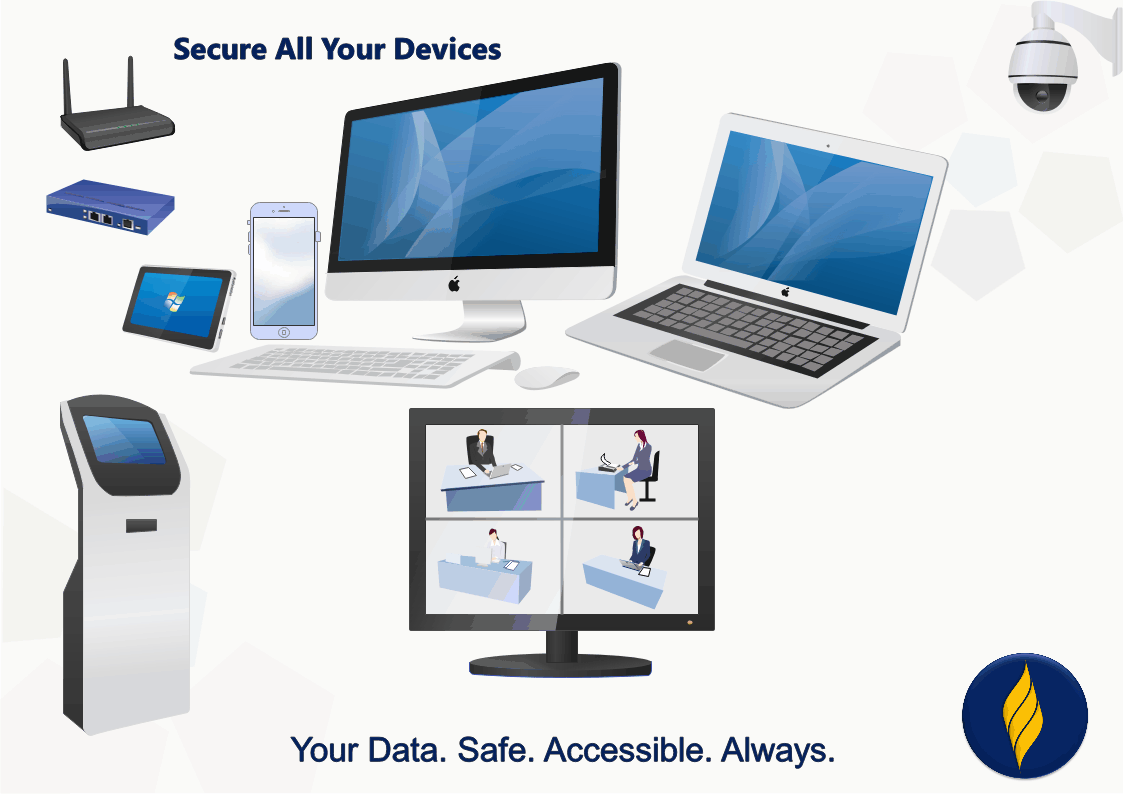
Your Data. Safe. Accessible. Always.

QuickBooks Business Network

Learn about the QuickBooks Business Network

The QuickBooks Business Network lets you connect with your customers and vendors. By connecting, you can send invoices to your customers through the network, and receive bills from your vendors directly in your QuickBooks. They’re ready to review and pay, so you don’t have to manually create bills. Also, the contact info for your connections will stay up-to-date if they make changes in their QuickBooks. These automation tools help you streamline workflows, better predict cash flow, and reduce manual entry tasks.

Note: QuickBooks Online Accountant users may search the QuickBooks Business Network to find contacts or change network visibility within their clients' QuickBooks Online accounts. However, QuickBooks Online Accountant contact information (that is, the file labeled "Your Books") isn't published in the QuickBooks Business Network, so the search and visibility experience isn't available for this group of QuickBooks customers.

Verify your business contact details

After you send or accept a QuickBooks Business Network invitation, your customer-facing contact information is shown to your customer or vendor. Be sure to update your contact details so that your connections have accurate information about you:

  1. Sign in to QuickBooks Online as an admin as a Primary admin or Admin (Company admin).
  2. Go to Settings ⚙ and select Account and settings.
  3. Select the Company tab.
  4. Update the following contact information, if needed:
    • Company name
    • Customer-facing email
    • Company phone
    • Website
    • Customer-facing address
  5. Select Save, then Done.

Add contacts in the QuickBooks Business Network

You can search the Business Network and add contacts by selecting New customer or New vendor in QuickBooks Online. Here's how it works:

  • Type the name of a business in the Company name field and results from the QuickBooks Business Network appear.
  • Select a business from the list and the form populates with the business’ website, city, state, and ZIP code from their customer-facing address. The business’ customer-facing email, phone number, and full address are partially masked until an invitation to connect is sent or accepted.
  • You can also manually add contact details for your customer or vendor. However, changing the information in any of the fields with a link Image of the link icon. will stop automatic updates from the QuickBooks Business Network if the business later changes their contact details.
  • Finish by selecting Save and send request at the bottom of the form. This adds the business to your Customer or Vendor List, and sends the business an email invitation to connect. You can also receive invitations to connect from the QuickBooks Online app on your iOS or Android device.
  • If your customer or vendor accepts the invitation, their partially masked business contact details will be unmasked and you’ll be able to send and receive invoices through the network.

Use automation powered by the QuickBooks Business Network

The QuickBooks Business Network also powers the Accounts Payable (AP) automation feature. When you send an invoice to a customer you’re connected to via the QuickBooks Business Network, the invoice is emailed, and also appears automatically in their QuickBooks account as a bill to review and pay. Likewise, you’ll be able to add bills from your vendors automatically once you’re connected.

Learn more about Accounts Payable automation.

Manage your connections and invitations

You can remove a connection or withdraw an invitation at any time. Here’s how:

  1. Sign in to your QuickBooks Online account.
  2. Do one of the following:
  3. Select the Business Network icon Image of the QuickBooks Business Network icon or the invitation sent badge Image of the Invite sent badge.
  4. Select Remove, then Remove.

The business remains a saved contact in your Customer or Vendor List. Invoices that are sent or received between you and the saved contact will no longer go through the Business Network.

Manage your QuickBooks Business Network visibility

If you don't want your business searchable in the QuickBooks Business Network, you can change your network visibility. Here’s how:

  1. Sign in to your QuickBooks Online account.
  2. Go to Settings Settings gear icon., then select Account and settings.
  3. Select the Advanced tab.
  4. Select Business Network, then select Off.
  5. Select Save, then Done.

Once you change your visibility to "Off", QuickBooks Online customers won’t be able to find your business if they search the QuickBooks Business Network. However, you can still search the QuickBooks Business Network for your customers and vendors, send invitations to connect, and use the AP Automation feature. Your connections made before turning off your visibility will still have your customer-facing contact information and can use the AP Automation feature to send/receive invoices through the QuickBooks Business Network. However, they will no longer get your updated contact details if you make a change in your account settings.

Keep your data safe and secure

QuickBooks is committed to protecting your privacy. For more information about how we keep your data secure, visit our Privacy and Security Center.

Use of the QuickBooks Business Network for spam, marketing, or other activities which violate applicable Intuit Terms of Service is strictly prohibited. You may only view and connect with other QuickBooks Business Network members located in your geography. All Business Information is provided by QuickBooks Online customers and is not independently verified or endorsed by Intuit. Intuit reserves the right to limit your use of the QuickBooks Business Network, including your ability to connect with other members and be listed in the network per our Intuit Terms of Service.

QBO Limits

Learn about QuickBooks Online usage limits

  • Billable users: 1 user.
  • Non-billable users: 2 accountant firm users. Reports-only and time tracking-only users are not available for this subscription.
  • Classes and locations (combined): Not available for this subscription.
  • Chart of accounts: Maximum of 250 accounts.
  • Custom fields: 1 per transaction.
  • QuickBooks Commerce Accounting: Maximum of 1 sales channel connected.
  • Billable users: 3 users.
  • Non-billable users: 2 accountant firm users. Unlimited time tracking only users. Reports-only users are not available for this subscription.
  • Classes and locations (combined): Not available for this subscription.
  • Chart of accounts: Maximum of 250 accounts.
  • Custom fields: 4 per transaction.
  • QuickBooks Commerce Accounting: Maximum of 3 sales channels connected.
  • Billable users: 5 users.
  • Non-billable users: 2 accountant firm users. Unlimited time tracking-only and reports-only users.
  • Classes and locations (combined): 40 combined classes and locations.
  • Chart of accounts: Maximum of 250 accounts.
  • Custom fields: 4 per transaction.
  • QuickBooks Commerce Accounting: Unlimited sales channels can be connected.
  • Billable users: 25 users.
  • Non-billable users: 3 accountant firm users. Unlimited time tracking-only, and reports-only users.
  • Classes and locations: Unlimited classes and locations.
  • Chart of accounts: Unlimited accounts.
  • Custom fields: 12 per transaction.
  • QuickBooks Commerce Accounting: Unlimited sales channels can be connected.

Dollar: Global Power or Hidden Liability?

دالر امریکا؛ قدرت بی‌پشتوانه یا مسئولیت فراموش‌شده؟

در حالی‌که دالر امریکا همچنان ستون فقرات نظام مالی جهانی باقی مانده است، سه پرسش کلیدی بیش از پیش توجه تحلیل‌گران اقتصادی را جلب کرده است: اگر دالرهای فزیکی از سراسر جهان به امریکا بازگردند، چه اتفاقی خواهد افتاد؟ آیا ایالات متحده واقعاً مسئول ارزش دالرهایی است که در دستان میلیاردها نفر در سراسر دنیاست؟ و در عصر بی‌اعتمادی به ارزهای فیات، چه گزینه‌ای برای پس‌انداز امن‌تر است؟

در تازه‌ترین تحلیل فانوس، به بررسی عمیق این موضوعات می‌پردازیم تا دریابیم که چگونه نظام مالی جهانی، بر پایه‌ کاغذهای فاقد پشتوانه، ایستاده است — و آینده‌ای که ممکن است در آن، دالر دیگر ارز بی‌رقیب نباشد.

 برای مطالعه مقاله کامل، اینجا کلیک کنید

Outsourced Bookkeeping Services

Outsourced Bookkeeping Services

Managing day-to-day financial records is one of the most time-consuming yet critical tasks for any business or organization. At Fanoos Accounting Services, we take the complexity out of bookkeeping by offering reliable and confidential outsourced bookkeeping solutions tailored to your needs. Our goal is simple: give you peace of mind while you focus on growing your business.

What We Do

Our outsourced bookkeeping services cover the full cycle of financial recordkeeping:

  • Recording daily transactions with accuracy and attention to detail

  • Categorizing expenses and revenues in line with accounting standards

  • Reconciling accounts with supporting documents provided by the client

  • Preparing monthly, quarterly, or annual financial reports

  • Providing real-time insights for better financial decision-making

We act as your trusted back-office partner, ensuring your books are always up to date, error-free, and ready for management review, auditors, or donors.

Key Benefits

  • Save Time: Eliminate the burden of routine bookkeeping tasks.

  • Ensure Accuracy: Benefit from professional oversight to minimize errors.

  • Confidentiality Guaranteed: Your financial data is handled with the highest level of care.

  • Cost-Effective: Avoid the overhead of hiring and training in-house staff.

  • Scalable Service: Whether you’re a startup, SME, or NGO, our services grow with your needs.

Why Choose Fanoos Accounting Services?

  • More than 15 years of experience in bookkeeping and accounting system development

  • Expertise with leading software including QuickBooks, Xero, and MYOB

  • Proven track record supporting NGOs, businesses, and institutions locally and internationally

  • Commitment to delivering timely, accurate, and actionable financial information

Let’s Simplify Your Bookkeeping

Outsourcing your bookkeeping to Fanoos Accounting Services means more than just recording transactions — it’s about gaining a partner dedicated to your financial clarity and long-term success. Contact us today to explore a service package that fits your organization’s needs.

Our Outsourced Bookkeeping Services Packages

Basic Package

Simple Bookkeeping

$50

Per Month

  • QuickBooks Desktop Version
  • Only Reporting User
  • Monthly Backup file
  • Financial Statements
  • Limited Support
Request Now
Best Choice

Standard Package

Mediume Bookkeeping

$150

Per Month

  • QuickBooks Online Essentials
  • Only Accountant User 
  • Including all Basic Package
  • Monthly Hard Document Review
  • With Free Tax Advisory
Request Now

Premium package

Advanced Bookkeeping

$250

Per Month

  • QuickBooks Online Plus
  • 1 Accountant + 1 Admin User
  • Including all Standard Package
  • Budgeting and Management Reporting
  • With Free Financial Advisory
Request Now
Request a Proposal

Managing books doesn’t have to be stressful or expensive. At Fanoos Accounting Services, we provide cost-effective outsourced bookkeeping tailored to businesses and NGOs operating in Afghanistan. From preparing accurate financial reports for donors and government ministries to ensuring compliance for external audits, we deliver the professional support you need — at a fraction of the cost of hiring full-time staff.

register
it's completely free

Paper-Free

Transitioning to a Paper-Free Organization: Stakeholder Actions and Impacts

As businesses strive for efficiency, sustainability, and cost-effectiveness, many are choosing to become paper-free organizations. This transformation involves replacing physical documents with digital alternatives, utilizing cloud-based accounting, e-signatures, digital invoicing, and automated workflows. While the transition brings significant benefits, it also requires coordinated actions from various stakeholders.

Why Businesses Go Paper-Free

A company may decide to become a paper-free organization due to several reasons, including:

  • Cost Reduction: Eliminating printing, storage, and paper-related expenses.

  • Efficiency & Productivity: Faster access to digital records and streamlined workflows.

  • Environmental Responsibility: Reducing paper waste and carbon footprint.

  • Compliance & Security: Improved data security and adherence to regulatory standards.

  • Remote Work Adaptability: Enabling cloud-based collaboration for distributed teams.

Stakeholder Actions in a Paper-Free Transition

Each stakeholder group plays a key role in ensuring a successful transition to a paper-free environment.

1. Internal Stakeholders

  • Employees

    • Must adapt to digital tools for document sharing, approvals, and reporting.

    • Require training on new systems such as digital accounting platforms and cloud storage.

    • Should follow new policies for handling digital documents securely.

  • Managers & Executives

    • Lead the transition by setting clear digital policies and expectations.

    • Invest in appropriate software and cybersecurity measures.

    • Monitor productivity and ensure that digital workflows are effectively implemented.

  • Shareholders/Owners

    • Assess cost savings and efficiency improvements.

    • Approve investments in digital transformation technologies.

    • Monitor the impact on financial reporting and business scalability.

2. External Stakeholders

  • Customers

    • Adapt to digital invoicing, online contracts, and e-receipts.

    • Benefit from improved service efficiency and faster processing.

    • Engage with customer portals for digital communication instead of traditional mail.

  • Suppliers & Vendors

    • Shift to electronic transactions, e-procurement, and automated invoicing.

    • Ensure compatibility with the company’s digital systems for seamless collaboration.

  • Government & Regulatory Bodies

    • Enforce compliance with e-signature laws, data security regulations, and financial reporting standards.

    • Require electronic tax filing and compliance documentation.

  • Banks & Financial Institutions

    • Facilitate digital transactions, online banking, and automated payroll processing.

    • Ensure cybersecurity measures for digital financial operations.

  • Community & Environmental Groups

    • Support businesses adopting eco-friendly practices.

    • Recognize and reward sustainable business initiatives.

How Fanoos Can Help Businesses Go Paper-Free

At Fanoos Accounting Services, we assist businesses in transitioning to a paper-free environment by:
Implementing Digital Accounting Systems – Helping businesses move from paper-based bookkeeping to cloud-based solutions like QuickBooks, Xero, and Dext.
Optimizing Financial Workflows – Automating invoicing, payroll, and financial reporting to improve efficiency.
Ensuring Compliance & Data Security – Providing guidance on digital document management and regulatory compliance.
Training Teams on Digital Financial Tools – Educating employees on using secure and efficient digital accounting solutions.

By adopting a paper-free approach, businesses enhance efficiency, reduce costs, and contribute to sustainability while maintaining strong stakeholder relationships.

PHP Code Snippets Powered By : XYZScripts.com